10 Essential Tips to Print on PETG Sheets Without Smudging?

Time:2026-04-29 Author:Amelia
0%

Printing on PETG sheets presents unique challenges that can lead to smudging if not managed properly. Experts in the field emphasize the importance of technique and preparation. Michael Thompson, a renowned additive manufacturing specialist, states, "Understanding the material and environment is key to achieving clean prints."

To navigate the complexities of how to print on PETG sheets without smudging, one must pay close attention to various factors. This includes optimizing bed temperature and monitoring nozzle settings. Many have experienced frustrating failures during their initial attempts. Learning from these mishaps is crucial. You must be prepared to experiment and adapt your process.

Adhering to best practices can make a significant difference. It's essential to select the right adhesive and surface type. Each choice impacts the final quality of your print. Achieving perfection might seem out of reach, but each step closer counts. Embrace the journey of trial and error in order to master printing with PETG.
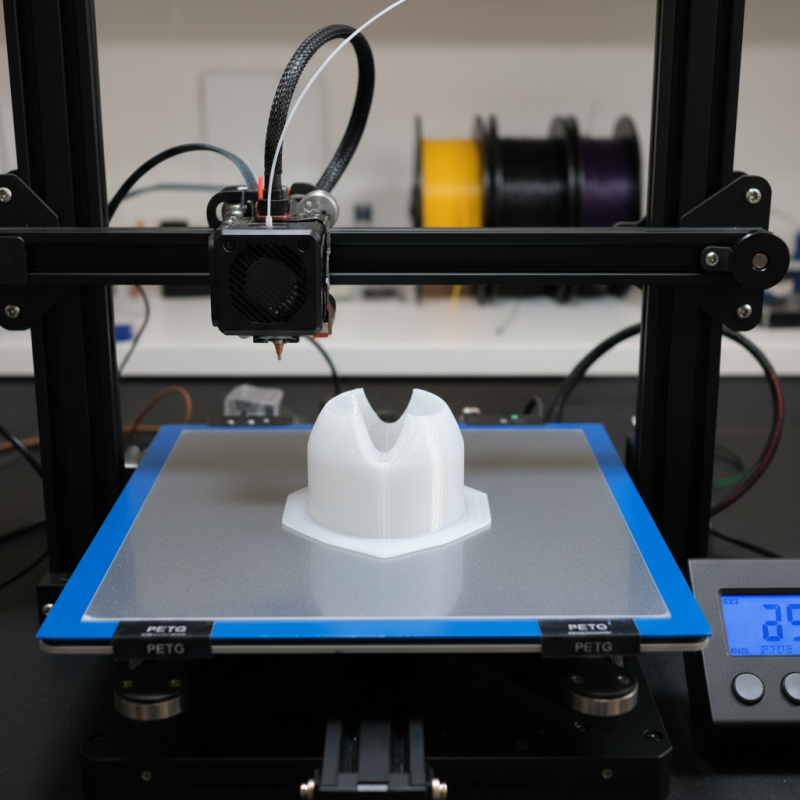
10 Essential Tips to Print on PETG Sheets Without Smudging?

Understanding PETG Sheets and Their Printing Characteristics

PETG sheets have gained popularity for their excellent clarity and durability in 3D printing applications. Their toughness makes them suitable for both functional prototypes and consumer products. According to industry reports, PETG boasts a tensile strength of around 50 MPa, making it significantly more robust than PLA. This strength also means that it can withstand various environmental factors better than many other materials.

When printing on PETG sheets, understanding the material's thermal characteristics is crucial. PETG has a glass transition temperature around 80°C. This temperature range influences how the material behaves during printing. For optimal adhesion, the print bed should be heated to around 70-75°C. However, if the temperature exceeds the optimal range, it can lead to warping or undesired surface effects.

The printing speed and nozzle temperature are also vital. A nozzle temperature between 230°C and 250°C works well for most setups. However, if you notice smudging, it might be time to adjust these parameters. Printing too fast may cause filament to lay down inaccurately. Adjustments may take time, and numerous test prints may be necessary to find the sweet spot. Learning from these imperfections can lead to superior results in future prints.

Optimal Temperature Settings for Printing on PETG Materials

When printing with PETG materials, setting the correct temperature is vital. Experts recommend keeping the nozzle temperature between 230°C and 250°C. This range helps achieve a balance between adhesion and extrusion quality. If the temperature is too low, the filament may not flow smoothly. As a result, you may experience clogs or under-extrusion.

The bed temperature is equally important. A heated bed set to around 70°C can enhance adhesion to the surface. Higher temperatures can sometimes promote warping, which is something to watch out for. A study from the Additive Manufacturing journal highlighted that temperature settings directly impact layer adhesion and overall print stability. Variation in environmental temperature can also affect filament performance.

Issues like stringing or warping can occur if temperatures are not calibrated properly. Consistent monitoring of these parameters is crucial. As you refine your process, consider documenting the results of your prints. This practice fosters a better understanding of how temperature influences quality. While striving for perfect prints, remember that imperfections often provide valuable insights for improvement.

Essential Adhesion Techniques for Preventing Smudging in PETG Prints

When printing on PETG sheets, ensuring proper adhesion is crucial to prevent smudging. A clean surface is essential. Start by thoroughly cleaning the print bed with isopropyl alcohol. This removes oils and dust. A contaminated surface can lead to poor adhesion, resulting in unsightly smudges. Additionally, consider using a heated bed. Setting the temperature between 70-80°C can greatly enhance adhesion for your PETG prints.

Experimenting with different build surfaces can also yield positive results. Some users find that using a textured surface works better than a glass bed. There is no one-size-fits-all solution. Each printer behaves differently. Therefore, it's essential to test various options to see what works for your specific setup. It’s important not to overlook the impact of print speed. Slower speeds can improve layer adhesion, providing a cleaner finish.

Despite thorough preparations, smudging can still occur. Poor filament quality or humidity can affect the outcome. Adjusting your environment may be necessary. Take notes on what works and what doesn't. This reflective approach allows for continuous improvement in your printing process.

Choosing the Right Printer Settings for an Effective PETG Outcome

When printing on PETG sheets, the right printer settings are crucial. This ensures a smooth application with minimal smudging. Start by calibrating your print bed. A well-leveled surface can drastically improve adhesion and final appearance.

Adjust the nozzle temperature. A range between 230°C and 250°C is recommended. However, personal experiments may reveal a specific setting that suits your printer's behavior. Too hot can lead to oozing; too cool can cause poor adhesion.

Extrusion speed also plays a vital role. Slower speeds can help with detail and reduce the chances of smudging. A speed of 40-60 mm/s is often effective. Moreover, consider the layer height. Thinner layers can enhance print quality, but they require more time and patience. Experimenting with these settings can yield different results.

Finally, always clean your PETG sheets before printing. Dust and residues can affect the final product. While these tips can guide you, every printer is unique. Assessing your results and adjusting based on observations is key. Learning from mistakes is part of the journey in 3D printing.

Optimal Printer Settings for Printing on PETG Sheets

Post-Processing Methods to Enhance Print Quality and Reduce Smudging

Printing on PETG sheets can lead to smudging, which affects the quality of the output. Post-processing methods play a crucial role in achieving the desired finish. Techniques such as annealing can help relieve internal stresses in the printed material. A study by the American Society of Mechanical Engineers (ASME) indicated that annealing can significantly improve dimensional stability by up to 30%. This approach can reduce the likelihood of smudging during handling or further processing.

Another effective method is using a clear coat to seal the surface. This can enhance the print's durability while minimizing the effects of friction, which often leads to smudging. According to a survey by the National Association of Manufacturers, nearly 75% of professionals reported improvements in output quality with appropriate post-processing techniques. Moreover, sanding edges or surfaces before applying finishes can create a smoother surface, helping to further eliminate imperfections. Inadequate sanding often results in uneven textures, which can trap dirt and oils, worsening smudging issues.

While these methods are effective, they require careful execution. For instance, improper application of a sealant can lead to bubbling or streaking, ultimately detracting from the final appearance. Attention to detail in the post-processing phase is essential for achieving high-quality prints. Inconsistent techniques can result in varying outcomes, challenging the consistency necessary in professional settings.

10 Essential Tips to Print on PETG Sheets Without Smudging

Tip Number Tip Description Effectiveness (1-10) Post-Processing Method
1 Adjust print speed to slower settings 8 Sanding
2 Optimize bed temperature (70-80°C) 9 Polishing
3 Use a clean nozzle 10 Chemical treatment
4 Calibrate extrusion settings 9 UV coating
5 Use a suitable adhesive for bed adhesion 7 Protective spray
6 Enable cooling fans after the first layers 8 Heatgun finishing
7 Use appropriate layer height for detail 8 Surface smoothing
8 Reduce moisture content in filament 9 Heat drying
9 Test different slicer settings 7 Final clear coat
10 Monitor environmental conditions 8 Protective covering

FAQS

: What printer settings are important for printing PETG?

: Key settings include bed calibration, nozzle temperature, extrusion speed, and layer height.

What nozzle temperature is recommended for PETG printing?

A temperature range of 230°C to 250°C is suggested. Experiment to find what works best for your printer.

How does extrusion speed affect print quality?

Slower speeds, around 40-60 mm/s, improve detail and reduce smudging.

Why is bed calibration important?

A leveled print bed enhances adhesion and improves the final appearance of the print.

What post-processing techniques can reduce smudging?

Techniques include annealing, applying a clear coat, and sanding before finishes.

Can improper sealing affect the print’s appearance?

Yes, it can cause bubbling and streaking, which detracts from the final product's quality.

How does sanding contribute to print quality?

Proper sanding creates a smoother surface, reducing imperfections and dirt entrapment.

Are there risks with post-processing methods?

Yes, inconsistent techniques or improper applications can lead to varying results and quality issues.

What happens if the layer height is too thick?

Thicker layers can decrease print quality and detail, needing more patience and time for thinner layers.

How can personal experimentation improve printing results?

Adjusting settings based on personal observations can lead to better outcomes and learning from previous mistakes.

Conclusion

Printing on PETG sheets can be a challenge due to their unique characteristics, but understanding these traits is key to achieving high-quality results. To learn how to print on PETG sheets without smudging, it's crucial to maintain optimal temperature settings and implement essential adhesion techniques. Proper printer settings tailored to PETG materials will significantly impact the outcome, helping to minimize errors and smudging during the printing process.

Additionally, incorporating post-processing methods can further enhance print quality and reduce imperfections. By focusing on these critical aspects – temperature control, adhesion strategies, and thoughtful post-processing – you can master the art of printing on PETG sheets and achieve professional-looking results with minimal smudging.

Amelia

Amelia

Amelia is a seasoned marketing professional with a wealth of expertise in our company’s core offerings. With an unwavering passion for driving growth and innovation, she plays a pivotal role in shaping our marketing strategies and enhancing brand visibility. A key aspect of her responsibilities......